Photo-to-anime likeness
The photo-to-anime conversion keeps the subject, pose, outfit, and composition in view.
Omni Editor / Image to Anime
Turn a photo or illustration into anime art with our AI anime generator. Upload one image, choose from 10 styles, and create a recognizable anime version.
Result
Photo to anime workflow
Add a clear photo, portrait, or illustration to the image to anime generator.
Choose one of 10 anime styles and add an optional creative direction.
Create, review, and download your AI-generated anime image.
How photo-to-anime conversion works
Our image to anime generator turns a photo, portrait, pet, product, or illustration into anime art while keeping the subject recognizable. The AI studies facial features, pose, clothing, framing, and key background elements before applying the linework, shading, color, and atmosphere of the selected anime style.
Use the AI anime generator for anime profile pictures, original character concepts, social posts, pet portraits, or a new interpretation of an existing composition. Choose from 10 styles, then add an optional direction for lighting, mood, color, or background details.
Anime style examples
The anime generator can move from warm storybook art to expressive manga ink or hand-painted portraits. Each style changes the finish while keeping your uploaded image at the center of the composition.
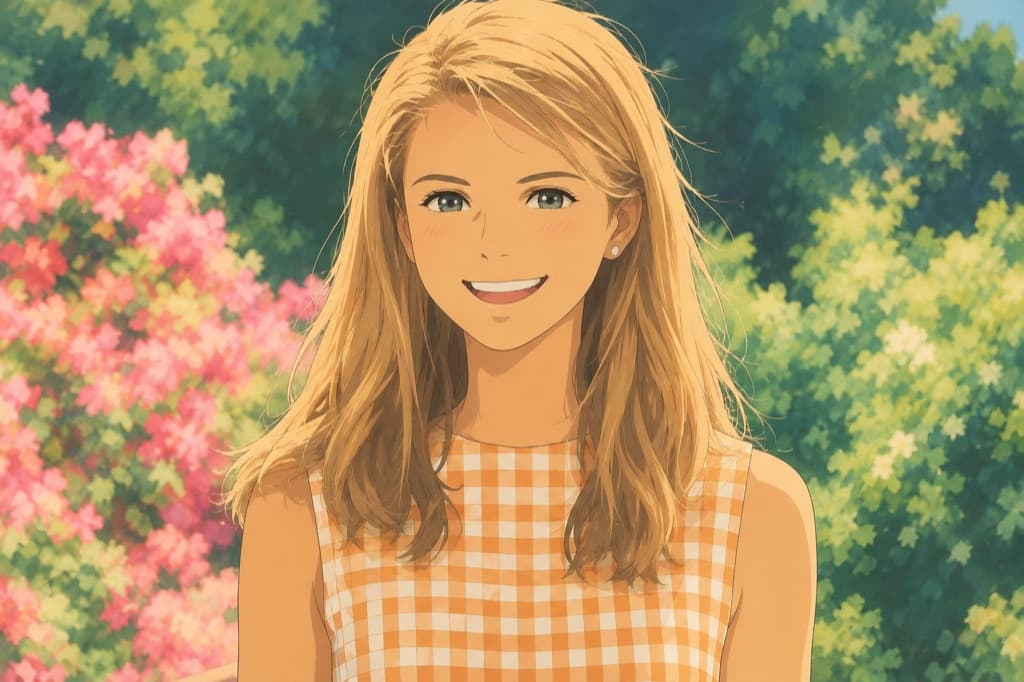
Warm hand-painted color, natural light, and a storybook atmosphere.
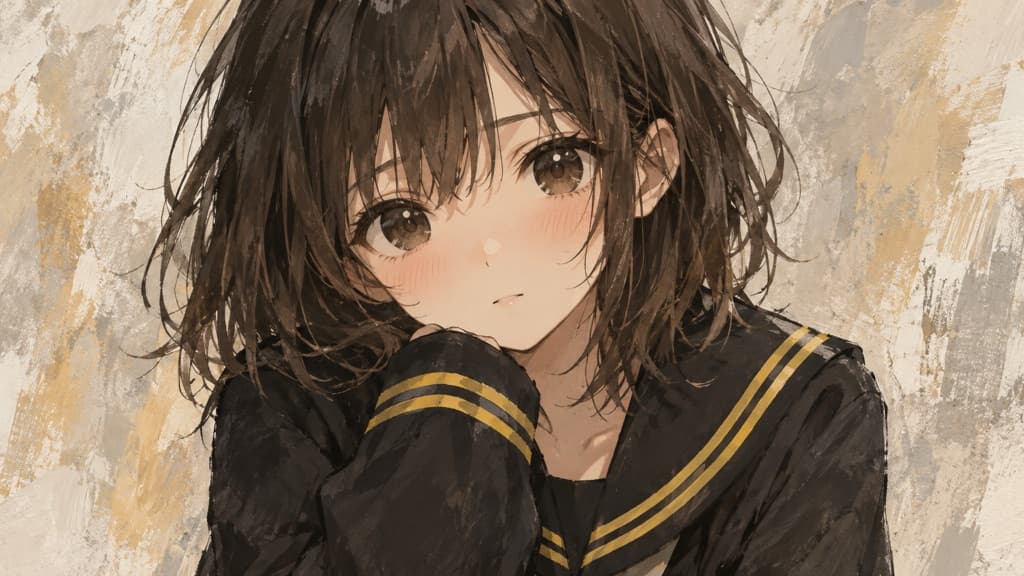
Tender expressive linework, warm texture, and a soft painted finish.
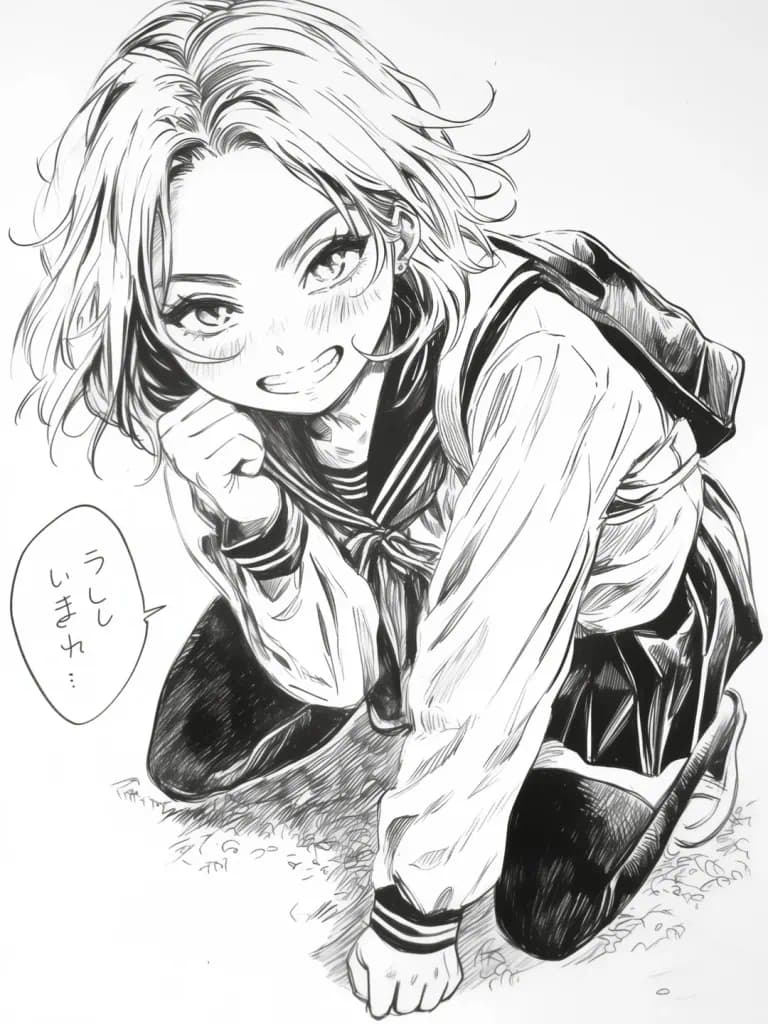
Monochrome contours, strong contrast, and screentone-inspired detail.
AI anime generator benefits
The photo-to-anime conversion keeps the subject, pose, outfit, and composition in view.
Choose an anime generator style without writing a long technical art prompt.
Add a short direction for lighting, atmosphere, background, or preserved details.
AI anime result tips
A strong anime conversion depends on the source image, visible subject details, composition, and style choice. These checks help the model preserve identity and create artwork that feels intentional rather than like a generic filter. The result is also easier to reuse for avatars, character concepts, social graphics, and personal artwork without losing the source composition.
Use a well-lit photo with the subject large enough to inspect. Visible eyes, hair, clothing edges, hands, and accessories help a photo-to-anime model preserve identity. Heavy blur, tiny faces, extreme compression, or major obstructions can make likeness and anatomy less consistent.
Manga ink supports monochrome contours, pixel art favors simplified shapes, and hand-painted styles suit softer light and atmosphere. A style that fits the source pose, composition, and intended use usually produces a more coherent anime image than an unrelated direction.
Clarify only the details that matter, such as keeping the background, preserving a jacket, or adding warm sunset light. After generation, compare facial features, pose, and framing. If one element changed too much, retry with one focused preservation request.
Photo to anime use cases
Identity
Use the anime portrait generator to create a distinctive avatar while keeping recognizable features.
Character
Explore outfits, moods, and visual directions from an existing character reference.
Social
Turn photos into expressive artwork for feeds, thumbnails, and community profiles.
Personal
Reimagine favorite people, pets, and shared moments as anime illustrations.
AI anime generator FAQ
Try the AI anime generator
Return to the anime generator, upload a photo, and choose the style that fits your idea.